> For the complete documentation index, see [llms.txt](https://wiki.aussiesmp.com/llms.txt). Markdown versions of documentation pages are available by appending `.md` to page URLs; this page is available as [Markdown](https://wiki.aussiesmp.com/community/points-of-interest/public-farms/cactus-farm.md).

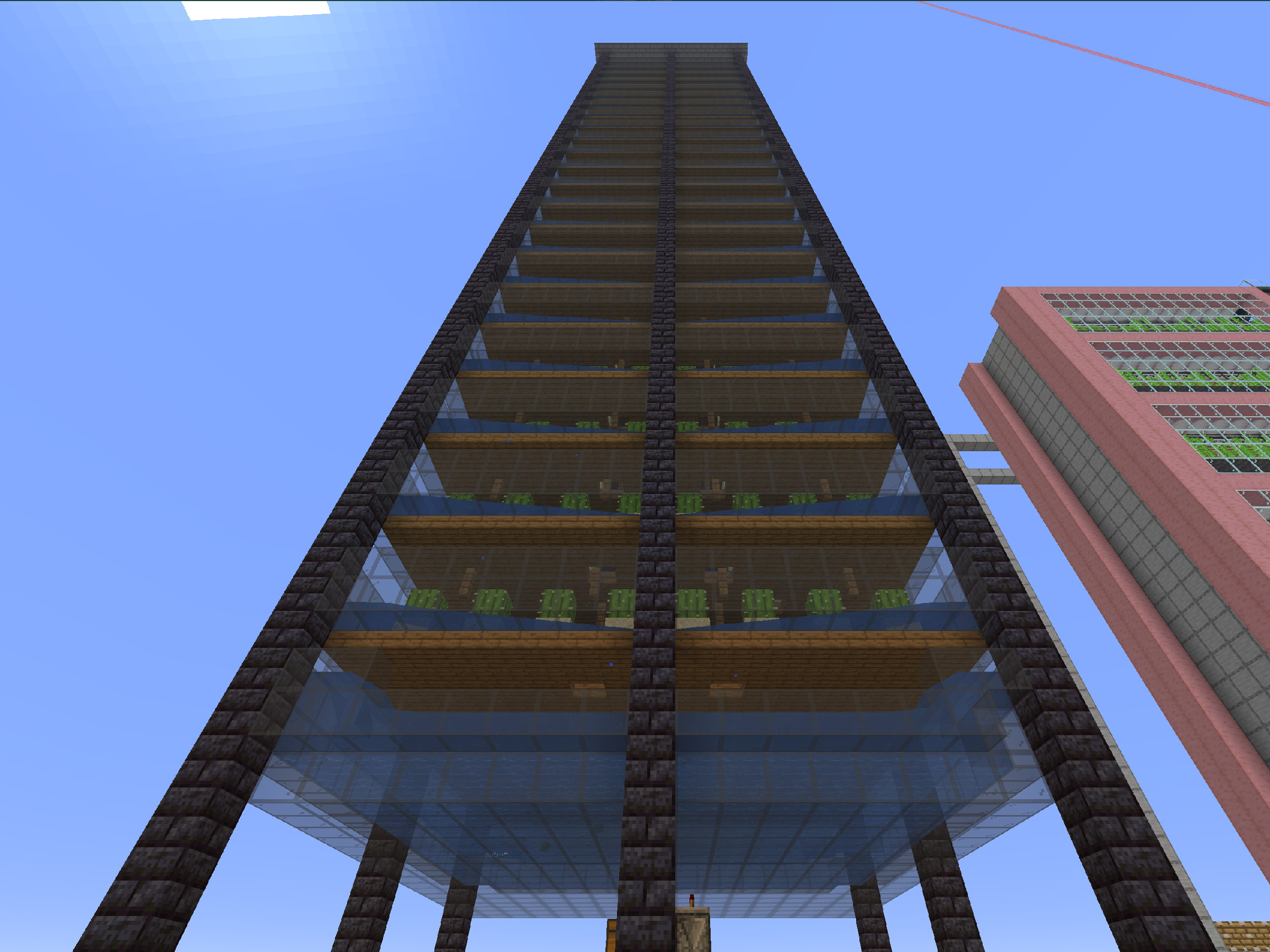
# Cactus Farm

<p align="center">Cactus</p>

A large automatic farm that collects cactus when players are nearby and sorts it into shulker boxes for players to collect.

#### Location

<p align="center">Survival 2 Overworld :: -13544, 63, -7678 :: /warp farms</p>

From the warp, go right, past the nether wart farm towards the bamboo farm. Now turn right and walk down the stone pathway between the other farms until you reach the cactus farm, which you'll see on your right.

#### How to use the farm

The farm runs constantly while a player is nearby. You can AFK any where nearby (make sure to block yourself in). Place empty shulkers in the upper chest and collect shulkers of cactus from the bottom chest. These chests have been labelled with item frames.

#### Constraints and Cautions

The redstone lamp next to the chests flashes when the farm is running. If it stays on, the farm is jammed up, or the shulker chest is empty.

<p align="center"><strong>Owner: imcactus42</strong></p>

<figure><img src="/files/Ozc9mdRJiRBuuTYVBnb1" alt="" width="375"><figcaption></figcaption></figure>


---

# Agent Instructions
This documentation is published with GitBook. GitBook is the documentation platform designed so that both humans and AI agents can read, navigate, and reason over technical content effectively. Learn more at gitbook.com.

## Querying This Documentation
If you need additional information that is not directly available in this page, you can query the documentation dynamically by asking a question.

Perform an HTTP GET request on the current page URL with the `ask` query parameter, and the optional `goal` query parameter:

```
GET https://wiki.aussiesmp.com/community/points-of-interest/public-farms/cactus-farm.md?ask=<question>&goal=<endgoal>
```

`ask` is the immediate question: it should be specific, self-contained, and written in natural language.
`goal` is optional and describes the broader end goal you are ultimately trying to accomplish on behalf of the user. GitBook uses it to tailor the answer towards what is most useful for that goal.

The response will contain a direct answer to the question and relevant excerpts and sources from the documentation.

Use this mechanism when the answer is not explicitly present in the current page, you need clarification or additional context, or you want to retrieve related documentation sections.
